Shared kitchen tablet.
Lemon lets a kitchen team record food safety checks on one shared tablet or phone and still show who did each one. An owner or manager turns on Shared Tablet in Settings and types in the team's names, with no accounts or emails needed; each person taps their name to save, and the record and the PDF report show that name. It is included in £19 per location per month, with a 14-day free trial and no card.
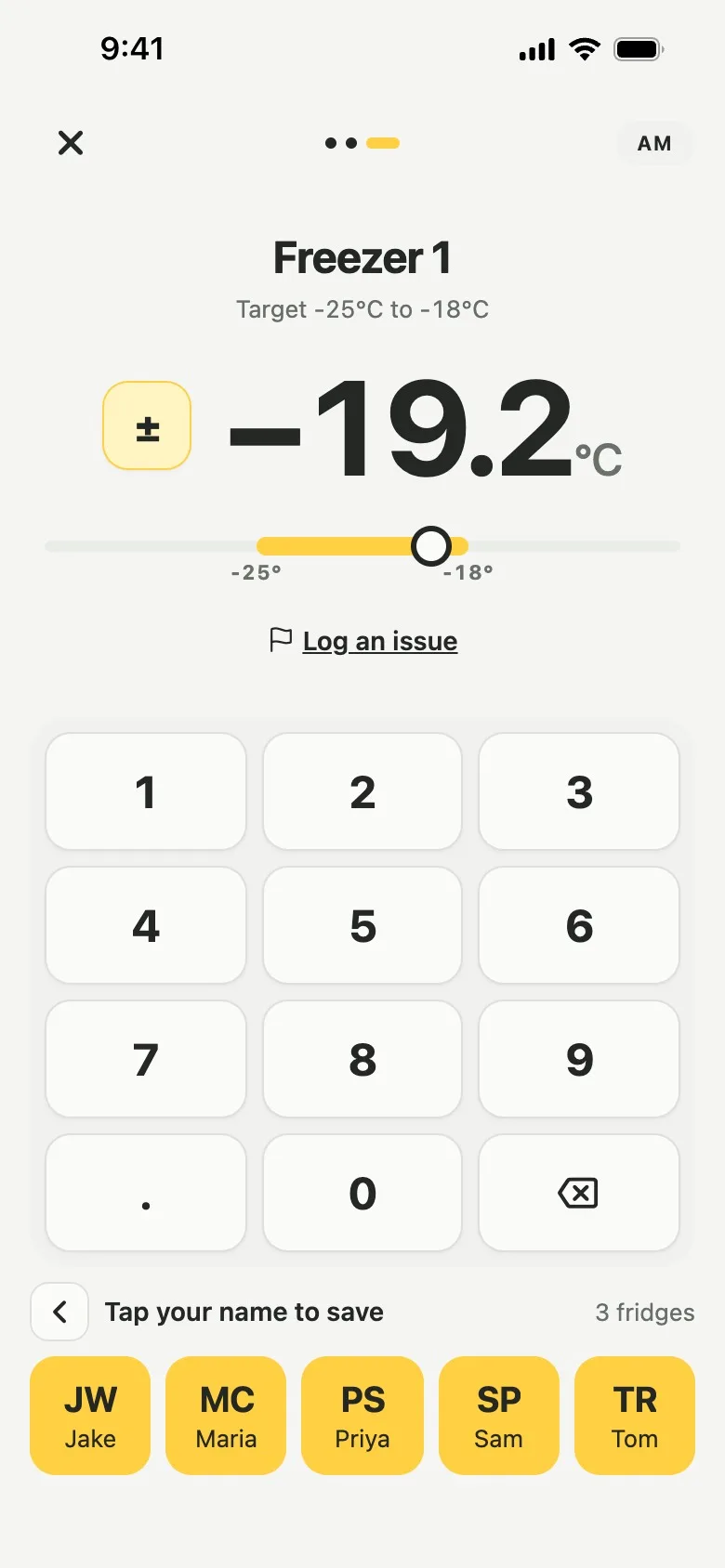
One tablet, a name on every check.
Keep one tablet or phone in the kitchen for the whole team, signed in to one account. With Shared Tablet on, the save button becomes a row of your team's names, and each person taps their own to save, so every check still shows who did it.
TabletKitchen iPad, each name tapped to save
- 07:15Walk-in fridgeSam Patel3.2°C
- 08:26Borough GreensMaria Costa4.4°C
- 12:30Chicken curry, cookPriya Shah78°C
PhonesEvery other login, as before
- 09:10Opening checksMorgan Jones
- 14:30Pass 1 · hot holdMorgan Jones67°C
- 22:05Closing checksMorgan Jones
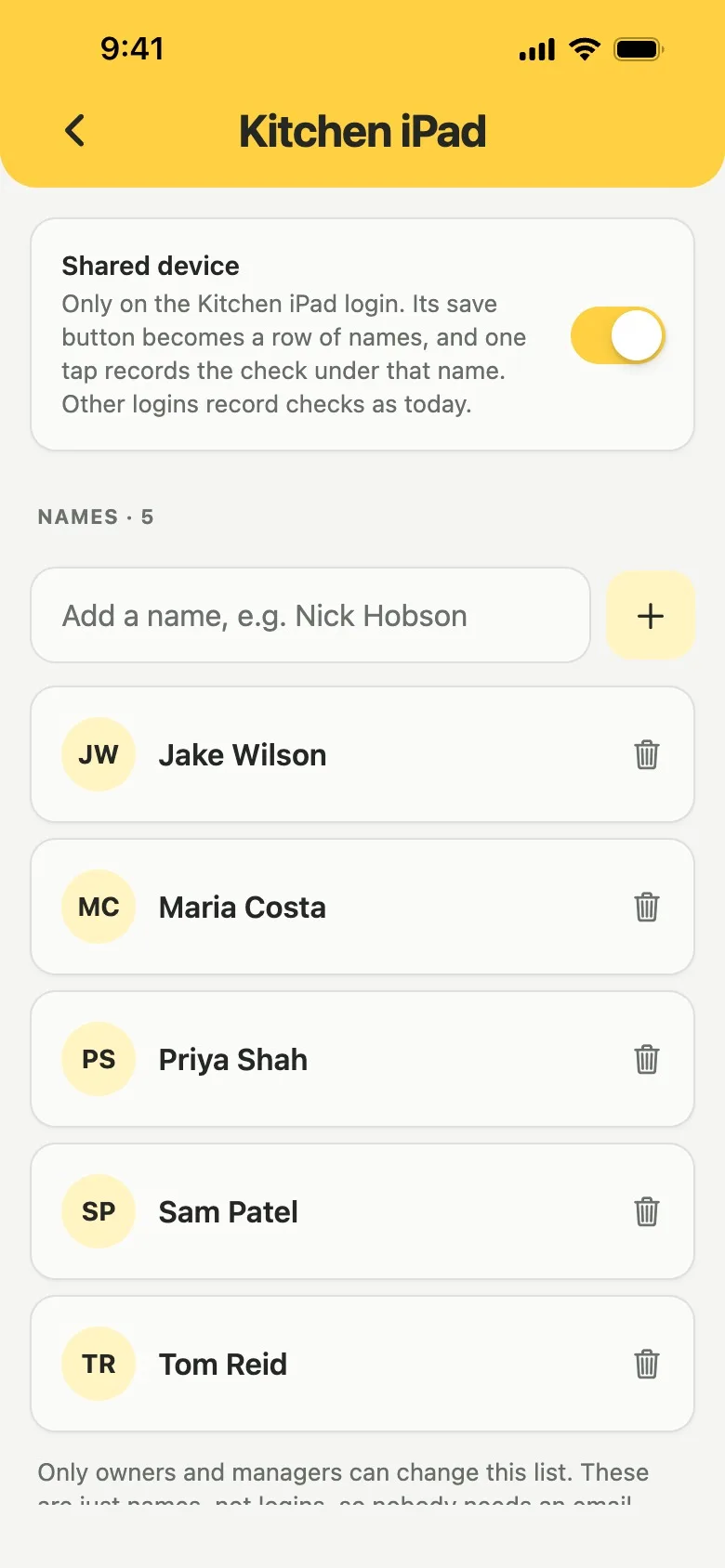
Set up in a minute, no accounts needed.
Sign in on the tablet, open Settings, tap Shared Tablet under Additional features and add each name. The names are not accounts, so nobody needs an email or an invite, and the list holds up to 40 of them.
Every record and PDF shows who did it.
Each record keeps the name that was tapped. In the PDF report the account it was saved on sits under the name, and the report explains what that means, so an inspector sees who did each check.
See a full sample report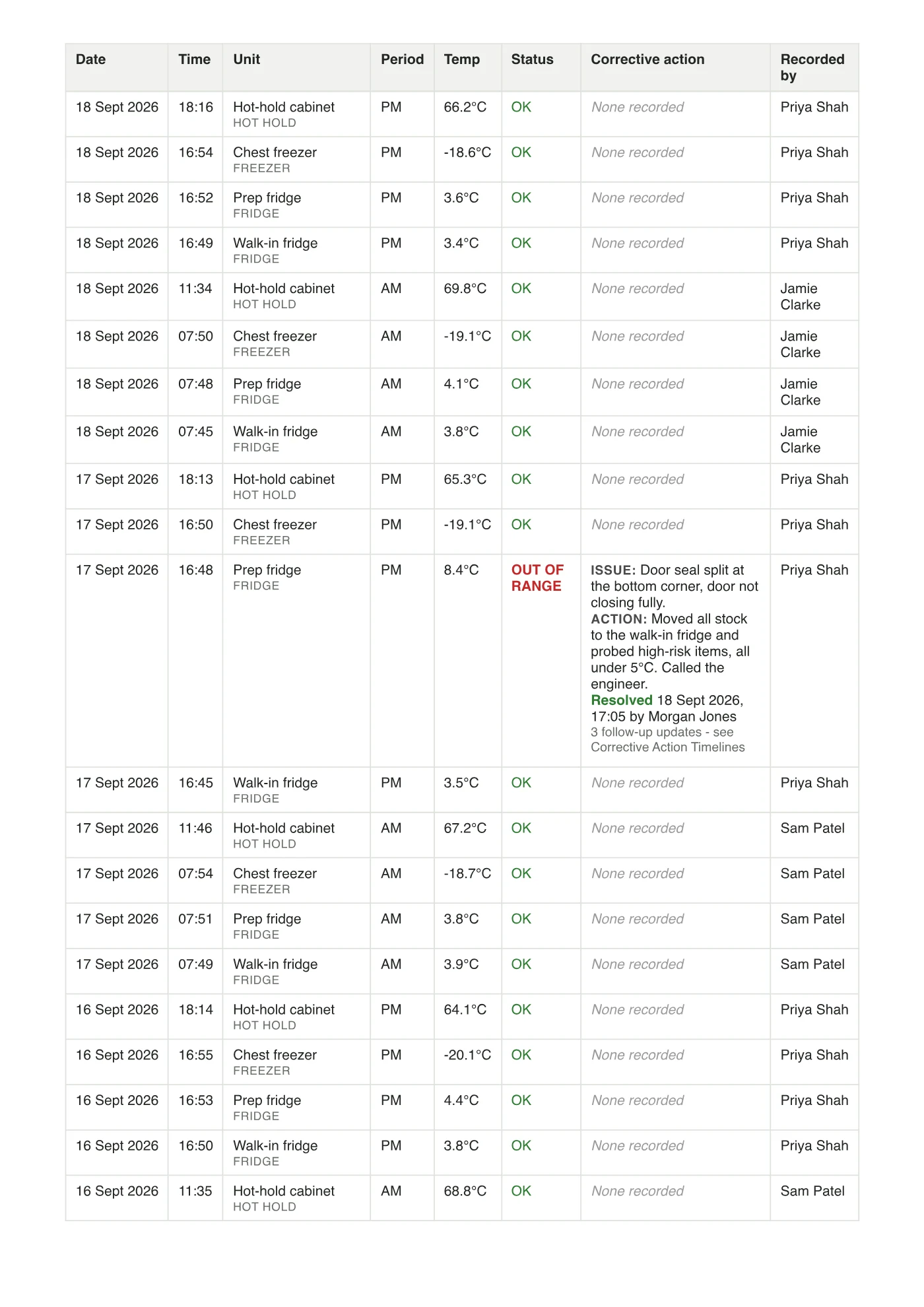
Everything included.
Every kind of check
Fridge rounds, food checks, deliveries, probe checks, checklists and issues.
Up to 40 names
Listed A to Z. Names are not accounts, so no emails.
Saved as, every time
Lemon shows whose name each check was saved under.
Settings stay with managers
Only owners and managers switch it on and change the names.
Removing a name keeps the history
Checks already recorded keep the name they were saved under.
Included in the price
£19 per location per month, with unlimited team members.
Setting one up? The help article walks through it step by step. Read Share one tablet with your team
Shared tablet questions,
answered.
Something else on your mind?support@getlemon.app
Can a kitchen team share one tablet for food safety checks?
Yes. An owner or manager opens Settings, taps Shared Tablet and adds the team's names. The save button then becomes a row of names, and each person taps their own to save, so the record and the PDF report show who did the check.
Does everyone still need their own login?
No. The names are not accounts, so nobody needs an email or an invite: one person signs in on the tablet and adds the team. Anyone can still have their own login at no extra cost. While Shared Tablet is on, every account at the kitchen saves by tapping a name.
Which checks work on a shared tablet?
Fridge rounds, food checks, deliveries, probe checks, checklists and issue reports. The names stay grey until the check is ready to save, and Lemon shows Saved as with the name afterwards.
What happens when someone leaves?
An owner or manager removes their name from the list. Checks they already recorded keep their name.
Can staff take training on the shared tablet?
Not under their own name. Courses and certificates belong to one person, so each person who takes a course needs their own login.
Does a shared tablet cost extra?
No. Lemon is £19 per location per month, with unlimited team members and a 14-day free trial with no card.
Try it free
for 14 days.
Then £19 per location per month. Every fridge, every team member, staff training included.
No card needed.