Since our October update, Lemon has gained two things kitchens asked us for: one tablet the whole team can record on, with every check still under the right name, and an allergen matrix for each menu. Here is the whole list, with a link to the help page for each.
At a glance
- Shared device: one Staff login on a kitchen tablet, and each person taps their name to save.
- Allergen menus: an allergen matrix per menu, without entering a dish twice.
- Named probes with calibration checks.
- A quicker start for new kitchens, with fridge setup and "Your first week" on Home.
- A clearer support chat.
- A fairer PDF report, with every out-of-range reading asked about.
- Team: the owner changes roles and removes people.
Shared device: a shared tablet with one login for the whole kitchen
Many kitchens keep one tablet by the pass for everyone, so every reading carried the same name. Now the tablet keeps its one login and each check still shows who did it.
- Invite the tablet as its own Staff login: in Settings → Team, tap Invite someone, use an email address the kitchen keeps and choose Staff. When you accept it on the tablet, call the login something like Kitchen iPad.
- On your own phone, as the owner or a manager, open Settings → Team and tap the tablet's login.
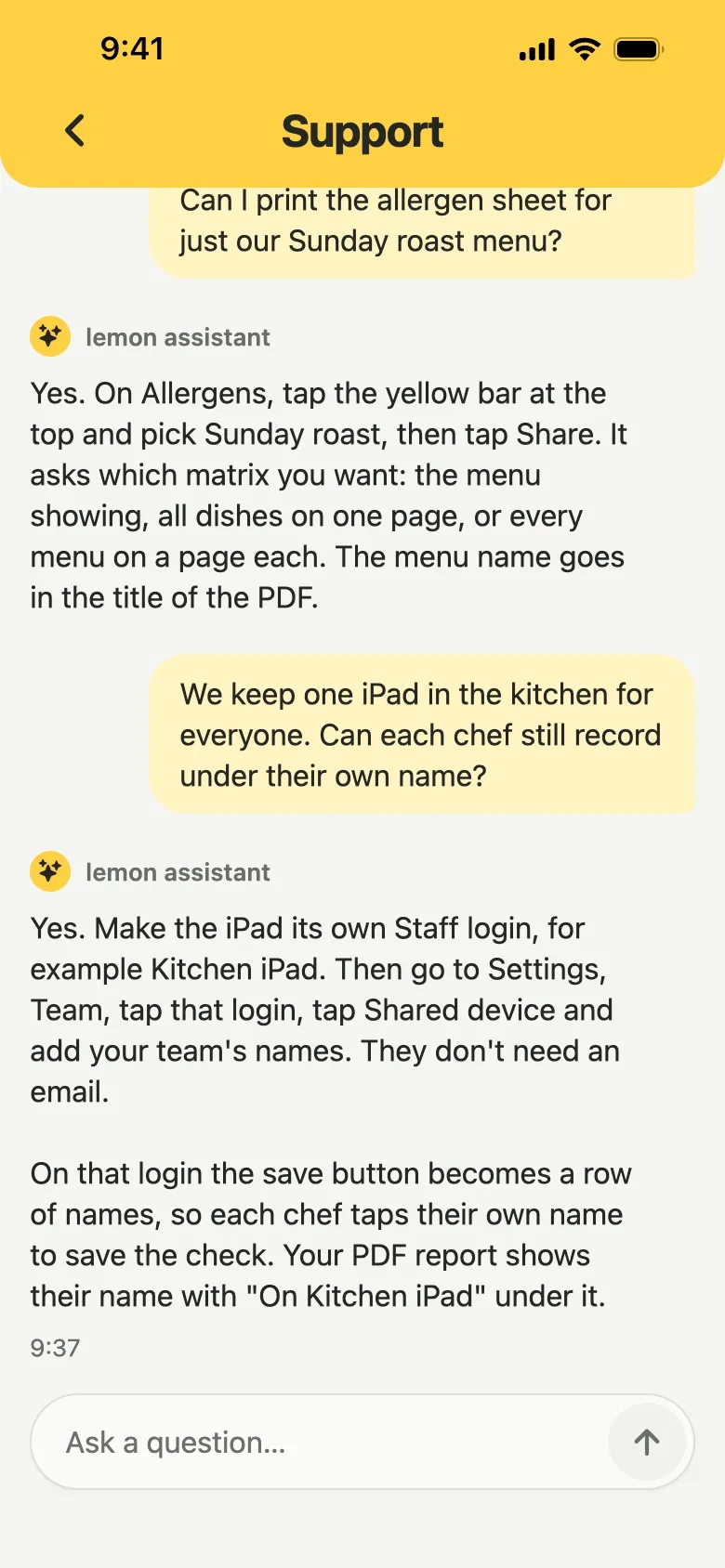
- Tap Shared device and add the name of everyone who records on it. The first name switches it on.
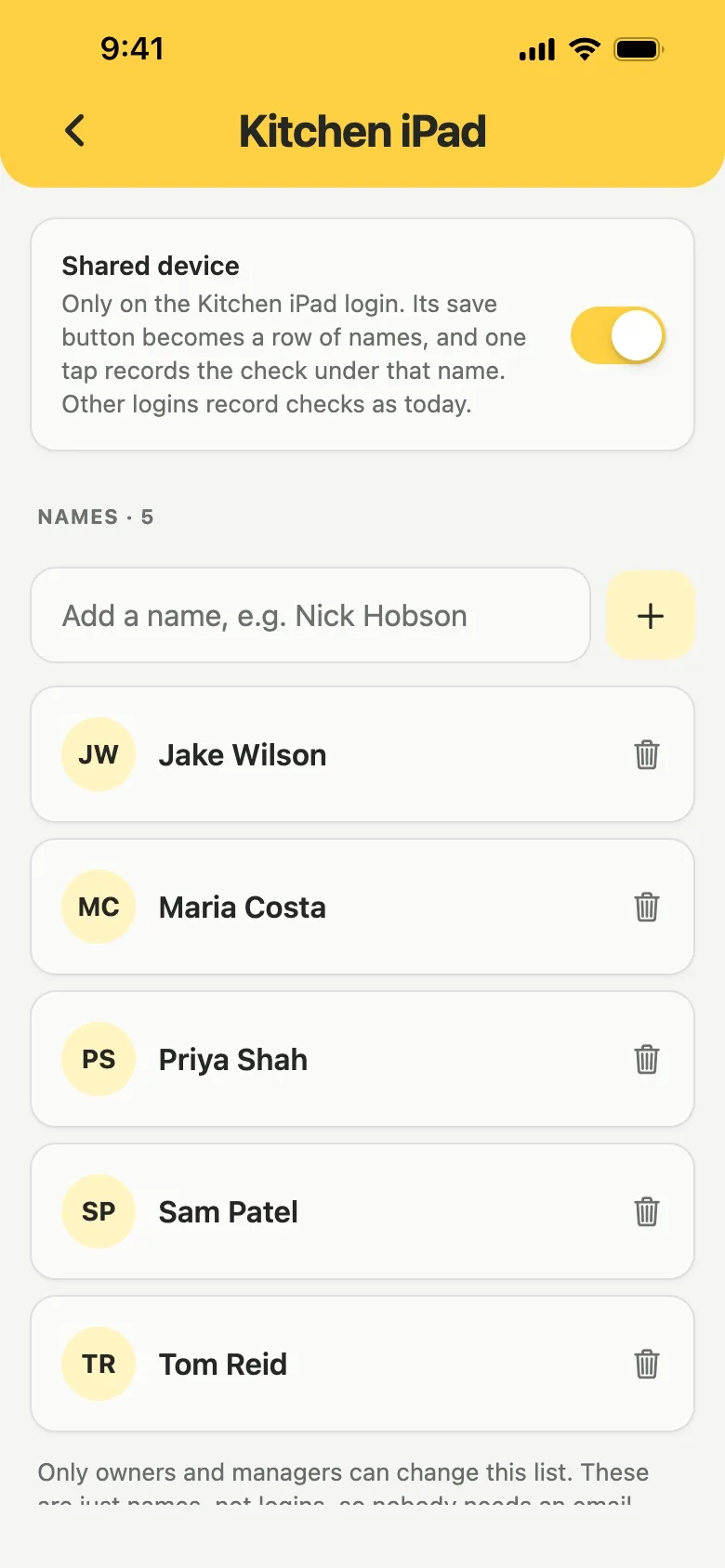
On that login, the save button on fridge readings, food checks, deliveries, checklists, issue reports and probe checks becomes a row of names. Tapping your name is the save, still one tap, and Lemon confirms "Saved as" with your name. The PDF report prints the name with "On Kitchen iPad" under it.
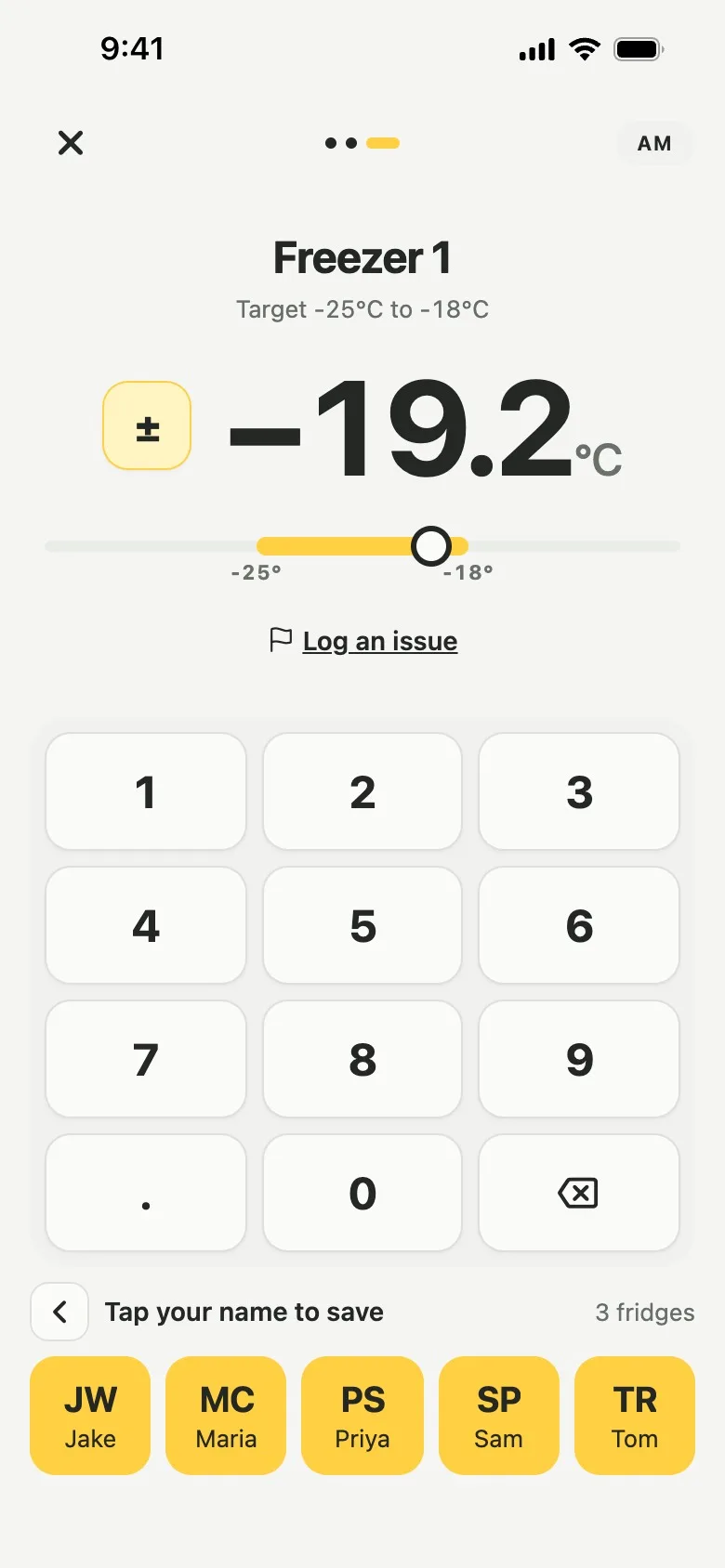
The names are not logins, so nobody needs an email. It works only on a Staff login, so whoever holds the tablet cannot change settings or the names. Removing a name never changes checks already recorded. Training stays per person, so do not assign courses to the shared login. See Shared device.
Allergen menus: an allergen matrix per menu
Your dishes stay in one list with their allergens entered once, and a menu is a list of those dishes. A dish can be on several menus and shows the same allergens on each, so two menus never disagree.
- Open Allergens. At the foot of the list, an owner or manager taps Make a menu.
- Name it, for example Sunday lunch, tick its dishes and tap Save menu.
- A yellow bar at the top of Allergens now shows the menu on screen. Tap it to switch menus or pick All dishes.
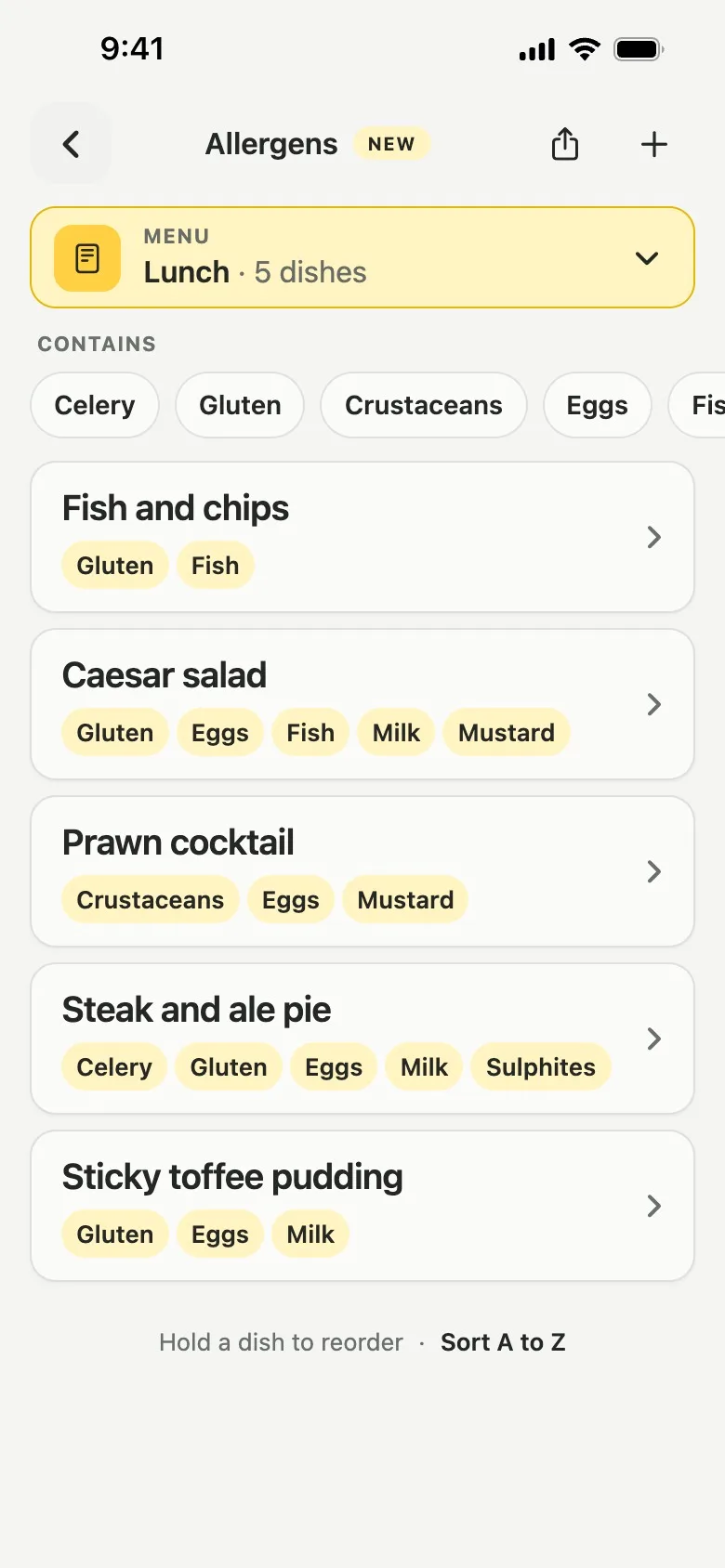
Search, the allergen filter and the dish order work inside the menu showing, so whoever is on shift sees only what is being served. A dish's edit screen has an On menus row, and deleting a menu keeps its dishes.
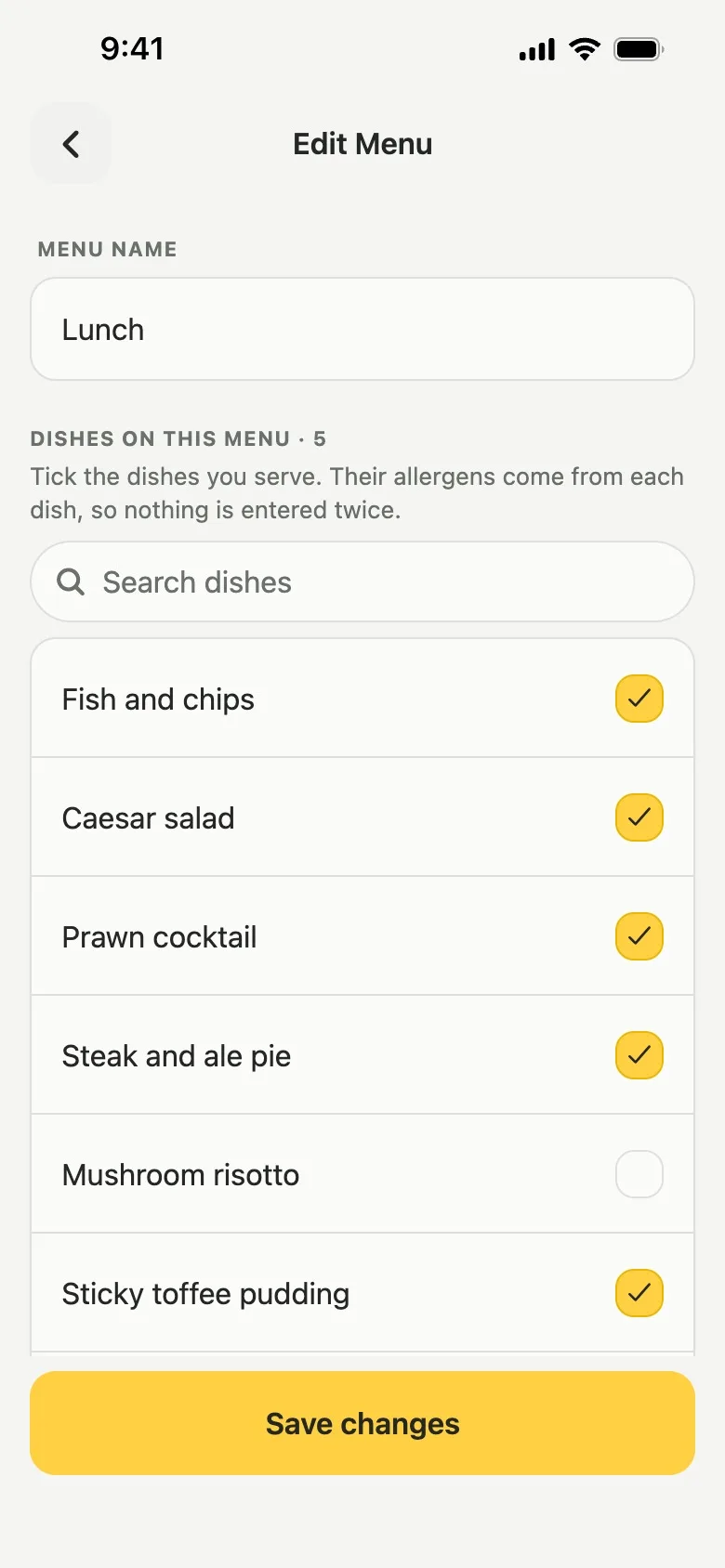
Share asks which matrix you want as a PDF: the menu showing, all dishes on one page, or every menu on a page each, with the menu name in the title. An empty allergen list still means nothing has been recorded: Lemon never describes a dish as free from an allergen. See Allergen matrix and menus or the allergen matrix page.
Named probes and calibration checks
Owners and managers add probe thermometers in Settings → Probes, each with its own name. Anyone can record a calibration check: ice water passes between -1°C and 1°C, boiling water between 99°C and 101°C. A check is due every 30 days, a food reading can say which probe took it, and the PDF report lists both. See Probes.
A quicker start: sign-up and fridge setup
Signing up now asks only for an email and a password, then your kitchen's name and your own. A short setup follows: count the fridges and freezers you check each day, name them, and do the first check straight away, or tap Not at the fridges? Do this later.
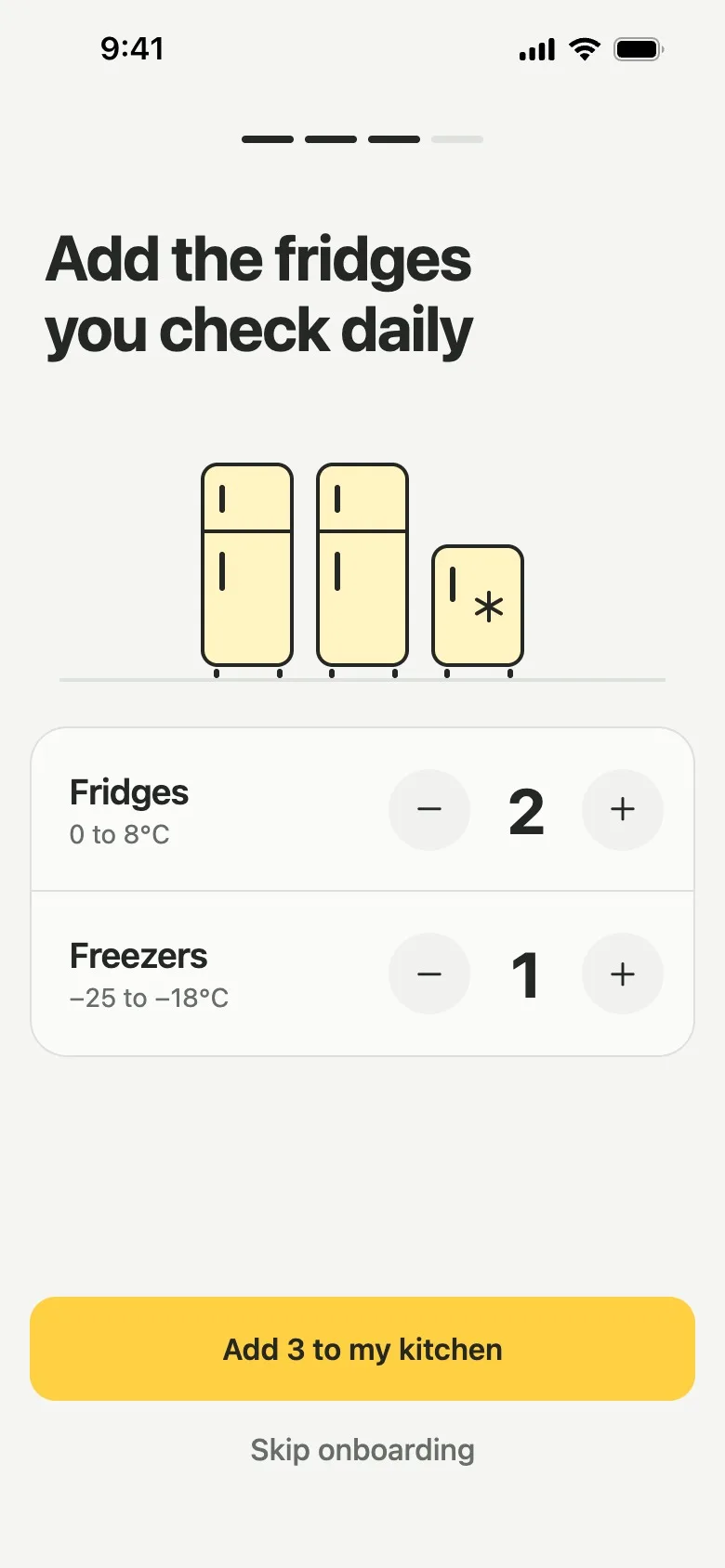
For its first seven days, a new kitchen's Home shows Your first week, with a tick for each day that has a fridge reading. See Add fridges and freezers.
A clearer support chat
Chat with Us in Settings was redesigned. Three common questions are ready to tap, answers are shorter, and when a person answers, the reply arrives in the same conversation with their name. A message that fails to send stays with Try again. See Help and support.
A fairer PDF report for inspections
- After a round, Report an Issue asks about every out-of-range reading in turn, not only the first, with one-tap answers.
- "No action needed" is saved with who confirmed it and when, and printed in the report.
- A food check that misses its target says so before you save. Reheating is judged at 82°C in Scotland and 75°C in England and Wales.
- No check counts as missed before your kitchen joined Lemon, and a checklist opened but never answered is no longer listed.
- A shared PDF carries your kitchen's name and the report's, not random letters.
See Export a report, or open a sample report.
Team changes: roles, removals and invites
- The owner taps someone in Settings → Team to make them Manager or Staff, or to remove them. What they recorded stays in the records.
- Joining another kitchen from an invite now opens that kitchen.
- Staff see fridges and suppliers as read-only lists, and can still add a supplier while logging a delivery.
See Who can do what.
Smaller changes
- Keyboard. The box you type in stays above the keyboard on Android and on iPhones running iOS 26.
- Connection. A dropped connection says "No connection. Check your signal and try again." instead of "internal".
- Export. With no signal, export now says so instead of building a report missing records.
How to get the update
Everything here is live in the web app at app.getlemon.app, and Lemon installs it on phones while the app is open, on version 5.3.1, in the App Store and Google Play since 1 November. If you do not see Shared device or Make a menu, check the version at the bottom of Settings and update Lemon from the App Store or Google Play.
Questions
Can several staff share one tablet in Lemon?
Yes. Make the tablet its own Staff login, then an owner or manager opens Settings, Team, taps that login, taps Shared device and adds the team's names. Each person taps their own name to save a check, and the record and the PDF report show that name with the tablet's login under it.
Does everyone on a shared tablet need their own email address?
No. The names on a shared device are not logins, so they need no email and no password. Only the tablet's own login has an email address. Anyone you want to take training courses still needs their own login, because courses and certificates are per person.
Can I have a separate allergen matrix for each menu?
Yes. In Allergens, an owner or manager taps Make a menu, names it and ticks the dishes on it. Each dish's allergens are entered once and are the same on every menu it is on, and Share prints the menu showing, all dishes on one page, or every menu on a page each.
What happens to old records if I remove a name from a shared device?
Nothing changes. Every check keeps the name it was saved under. Removing a name only takes it off the row of names on the tablet.
Do I need to update the Lemon app?
Only if your phone has a version older than 5.3.1. On 5.3.1, Lemon installs these features while the app is open, and the web app at app.getlemon.app is always current. The version number is at the bottom of Settings.
Do shared device and allergen menus cost extra?
No. Both are part of the one Lemon plan, £19 per location per month with no charge per person, and both are in the 14-day free trial.