Daily use
Allergen matrix
Keep your dishes and the 14 regulated allergens in one matrix that the whole team can read during service and that you can share as a PDF.
Switch it on
An owner or manager turns on Allergen Matrix in Settings, under Additional features. An Allergens tile then appears on Today for the whole team.
Add a dish
- Tap the Allergens tile.
- Tap the + at the top, or Add a dish if the list is empty.
- Enter the dish name as it reads on your menu.
- Tick every allergen the dish contains.
- Add a note if it helps, for example a version without gluten on request.
- Tap Add dish.
The 14 regulated allergens are all there, in the order the FSA lists them: celery, cereals containing gluten, crustaceans, eggs, fish, lupin, milk, molluscs, mustard, tree nuts, peanuts, sesame, soya, and sulphur dioxide and sulphites.
Keep it current
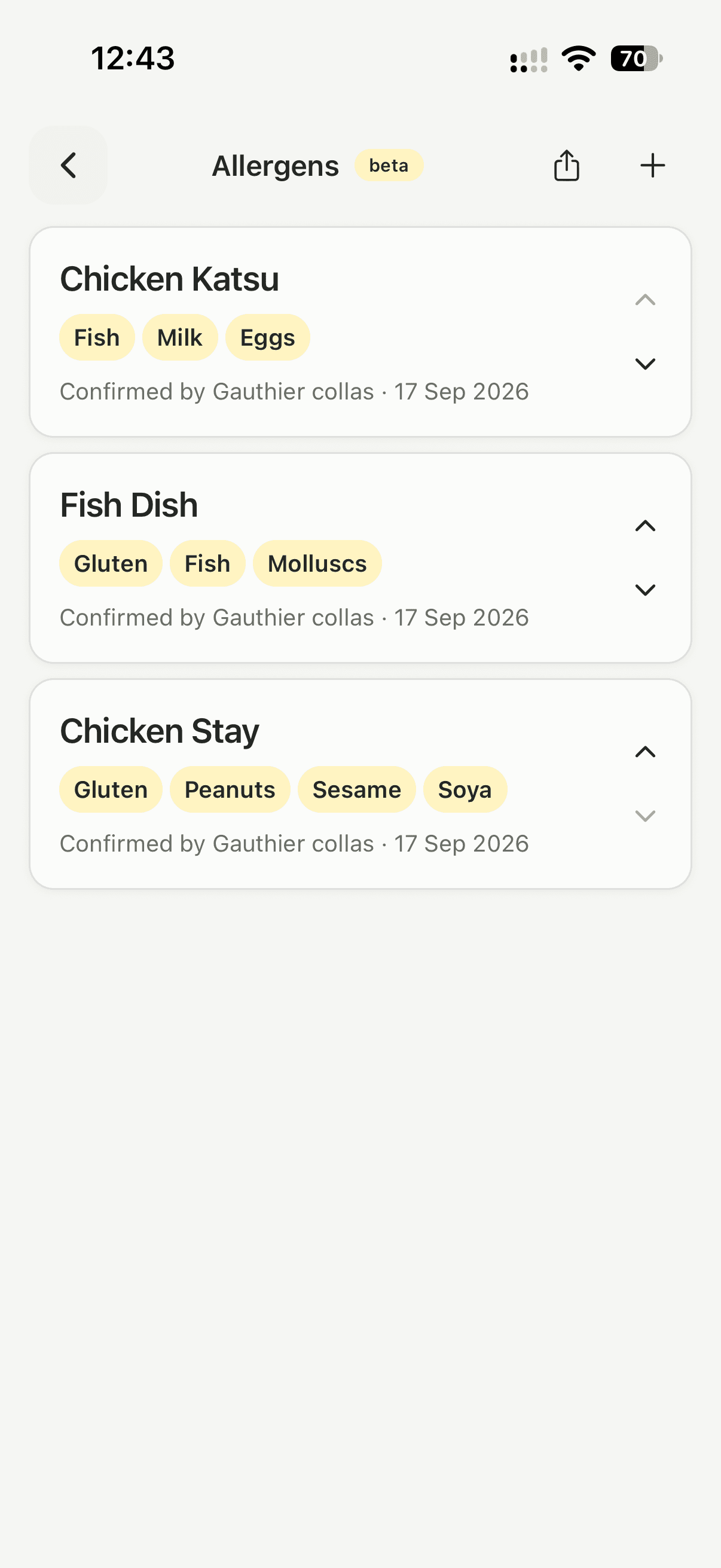
Each dish shows who confirmed it and when, so the matrix says how fresh it is. Saving a dish again updates that stamp. Use the arrows to put dishes in menu order, and archive a dish when it comes off the menu.
Share it
The share button on the Allergens screen creates a PDF of the whole matrix, one row per dish and one column per allergen, dated on the day you make it. That is the current matrix to hand to an inspector.
Good to know
- Owners and managers edit the matrix. Everyone can open it and read it during service, so anyone on shift can answer a customer question without guessing.
- An archived dish leaves the matrix, and you can add it again later.
- While the feature is on, the same matrix is added to the end of your exported report. See Export a report.
Updated