Daily use
Fridge temperatures
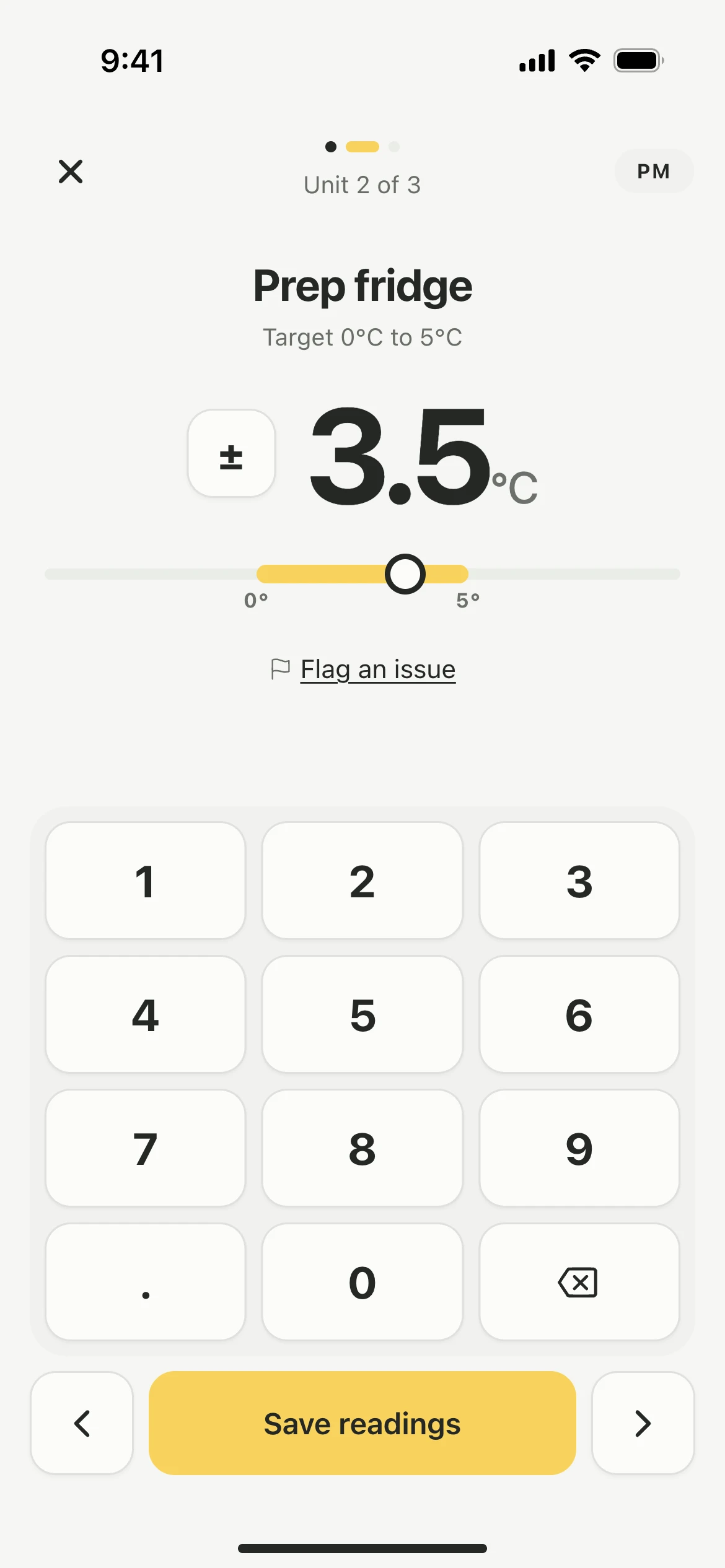
Record your fridge and freezer temperatures in one round, morning and evening, and Lemon tells you as you type if a reading is out of range.
Steps
- Tap the Fridges tile. Lemon walks you through your units one at a time.
- Type the reading on the keypad, using ± for below zero.
- Tap the arrow for the next unit.
- Tap Save readings at the end of the round.
Each reading is saved with the time and the name of the person who recorded it.
Good to know
- Most kitchens check temperatures twice a day, morning and evening. The AM or PM at the top shows which round you are recording.
- The unit's acceptable range sits under the reading. If the unit already has a reading in this round, the last one is shown beside it, so you can see whether anything has moved.
- If a reading is out of range, Lemon asks you to file a report once the round is saved. See Issues and corrective actions.
- Nothing wrong with the number but something wrong with the unit? Tap Log an issue on that unit during the round.
- Units come up in the order set in Settings → Fridges & Freezers. See Add fridges and freezers.
Updated