Daily use
The Today screen
Today is the home screen of the Lemon app, showing what your team has recorded so far, what is still open and any issue that needs attention.
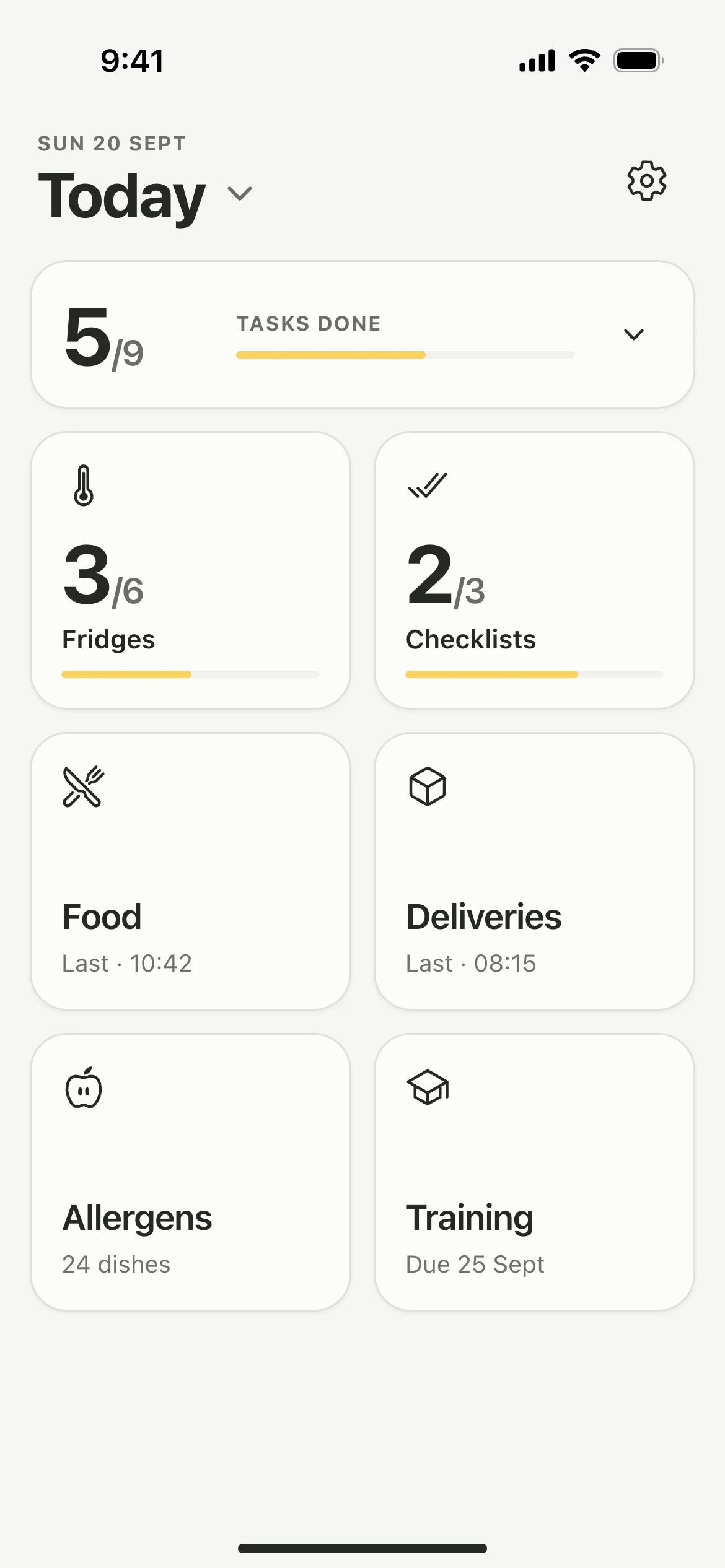
At the top
- The arrow beside Today opens the monthly overview.
- The gear opens Settings.
- A banner appears whenever an issue is open. Tap it to open the issue, or the list when there is more than one.
Tasks done
Tasks done counts your fridge rounds and the checklists due today. Tap it to see each entry recorded so far today.
The tiles
- Fridges and Checklists fill their progress bar as the day goes on, and show a tick once everything is recorded.
- Food and Deliveries show the time of the last entry.
- Training opens the courses assigned to you.
- Allergens appears when it is switched on.
Good to know
- Owners and managers turn on Allergen Matrix in Settings, under Additional features. See Allergen matrix.
- Training is on at every kitchen. See Take a course.
- No units yet? The Fridges tile opens the form to add one. See Add fridges and freezers.
Updated