Daily use
Deliveries
Log each delivery with its supplier, temperature and condition checks, so you can show where your food came from and what you turned away.
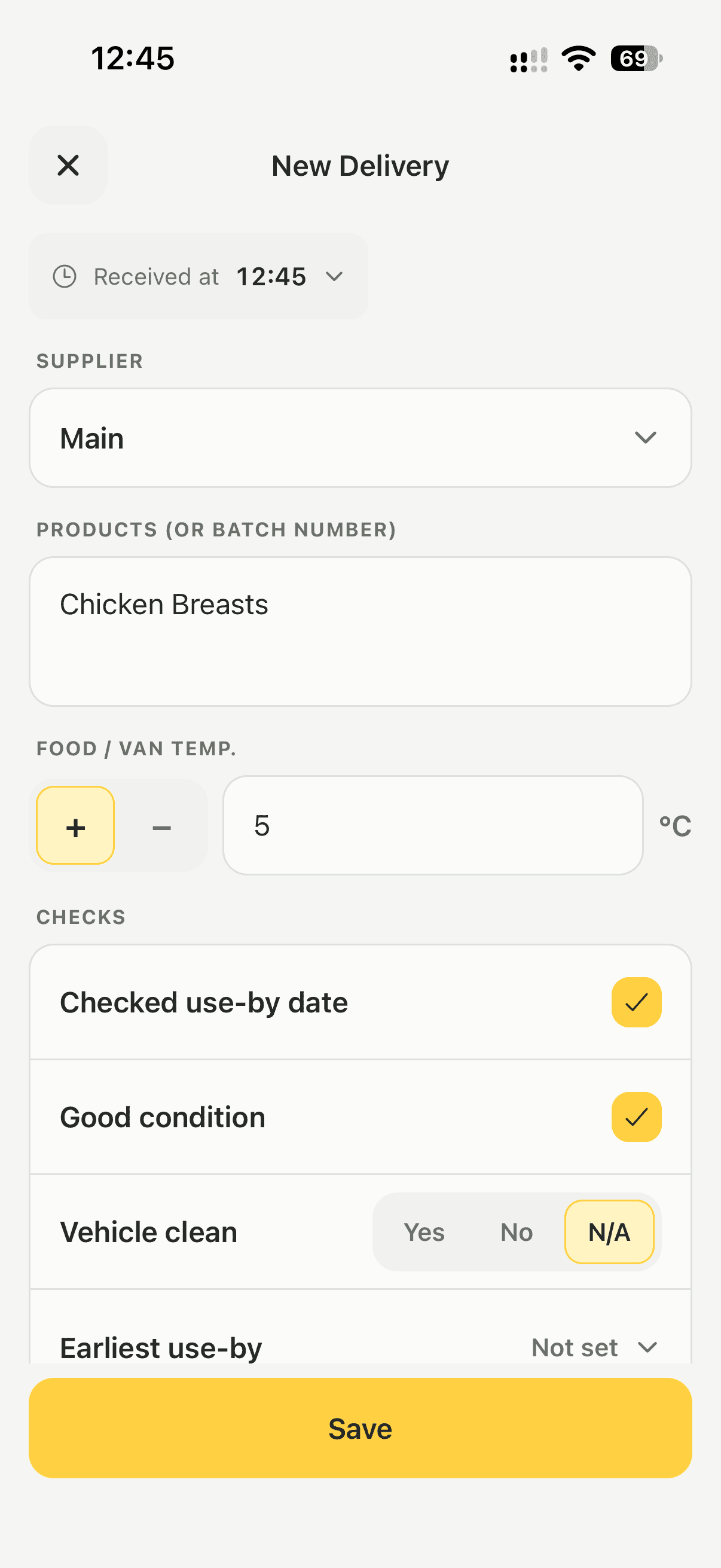
Steps
- Tap the Deliveries tile.
- Check Received at, and set it back if the delivery arrived earlier today.
- Choose the supplier, or type a new name to add one.
- Enter what was delivered, or the batch number.
- Enter the food or van temperature.
- Answer the checks: Checked use-by date, Good condition, Vehicle clean and the Earliest use-by date.
- Tap Save delivery.
The delivery is saved with your name and the time you logged it.
Good to know
- Logging deliveries is how you show traceability, one step back and one step forward.
- Turn off Good condition and Lemon asks what was wrong before it will save. That note is the record of a rejected or damaged delivery.
- Anyone can add a supplier while logging a delivery. Owners and managers tidy the list in Settings → Suppliers.
- Removing a supplier never changes past deliveries, because each one keeps the name it was logged with.
- Deliveries go into your PDF report. See Export a report.
Updated