Daily use
Checklists
Run opening, closing, weekly EHO and SFBB checklists on a phone, answering each task Yes, No or N/A, with a short note for every No.
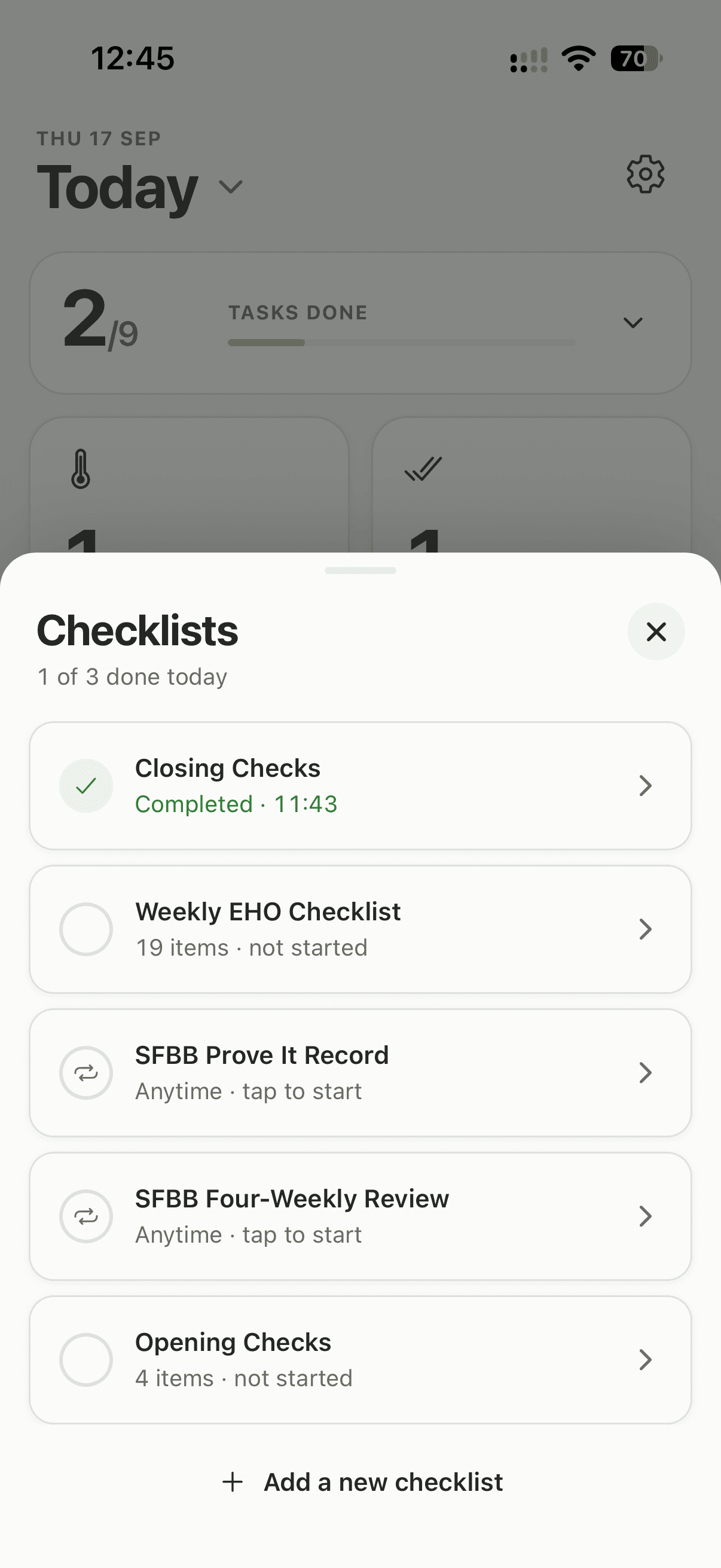
Steps
- Tap the Checklists tile.
- Pick a list.
- Answer each task Yes, No or N/A.
- For a No, write a short note saying what was wrong and what you did.
- Tap Complete checklist, or Save & exit to finish it later.
Once it is complete, the list shows as done in the picker.
Lists you can switch on
Checklists cover everything that is not a temperature. Your kitchen starts with the Weekly EHO Checklist, ready to run. Owners and managers switch on more in Settings → Checklists:
- Daily: Opening Checks, Closing Checks, SFBB Daily Diary
- Weekly: Weekly Deep Clean
- Monthly: Monthly Hygiene Audit, Pest Control Check, Probe Calibration
- Anytime: SFBB Four-Weekly Review, SFBB Staff Training Record, SFBB Prove It Record
Good to know
- The Weekly EHO Checklist cannot be edited. Every other list can, and owners and managers can build their own from scratch with Create custom checklist.
- Anytime checklists have no deadline and can be filled in as often as you need, which suits records that follow a person or an event rather than the calendar. Lemon does not remind you about them, so put the SFBB Four-Weekly Review, due every 28 days, in your own calendar.
- Past runs sit under View history & export on each list in Settings → Checklists.
- A completed list is saved with your name and the time, and it goes into your PDF report. See Export a report.
Updated